
Exclusive to Windows
12-shape mouse gestures, a 4-pane split, the big three AI CLIs and automation, all on your desktop
Demo of all 12 mouse gesture shapes
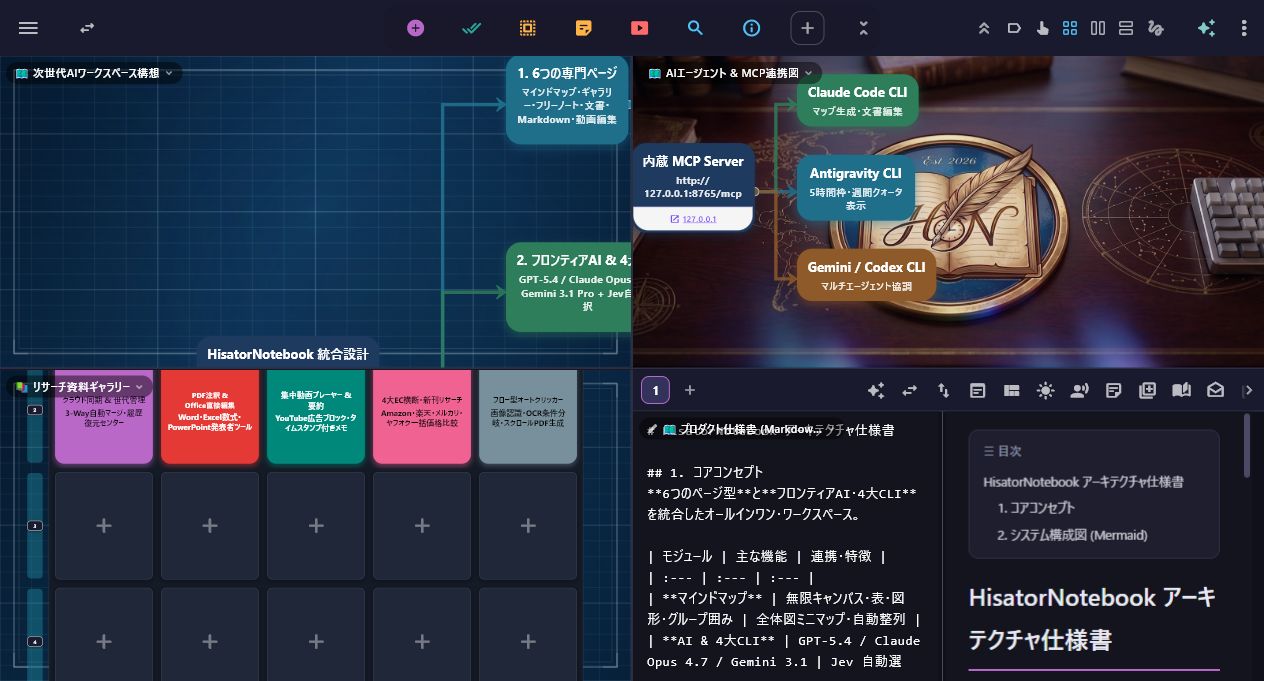
4-pane split (Quad Split View)
Live capture: multiple pages & split screen
- Mouse gesturesHold right-click and draw up, down, left or right (4 directions) or an L shape (8 directions) to instantly switch pages, paste a region screenshot or launch AI
- Split screenShow maps, galleries, PDFs, Markdown, search and AI in 2 or 4 panes; drag the handle to swap panes or pop them out into mini windows
- Auto clickerLine up clicks, text input, image recognition and OCR-based branching as cards and run them automatically; it can also auto-scroll long pages and save them as a right-bound PDF
Mind maps & 6 page types
Switch freely between 6 core page types and the AI Studio to suit the task at hand
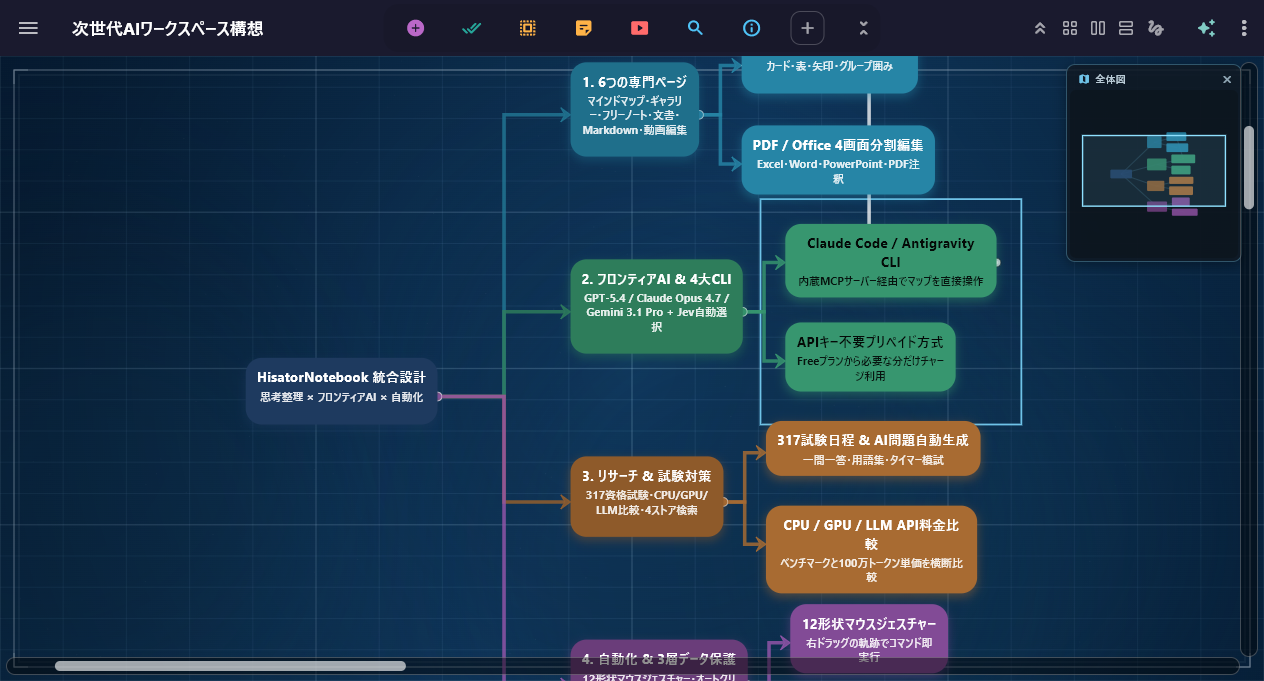
Hierarchical nodes × overview minimap
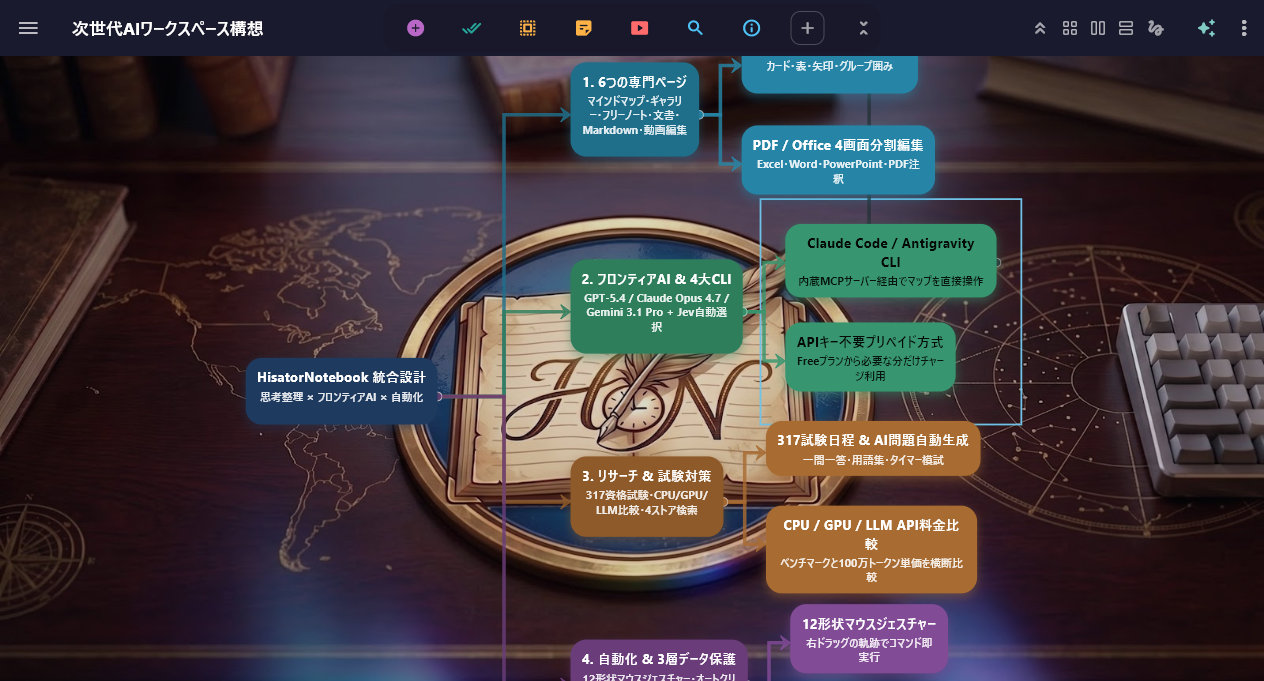
Group frames × roadmap organization
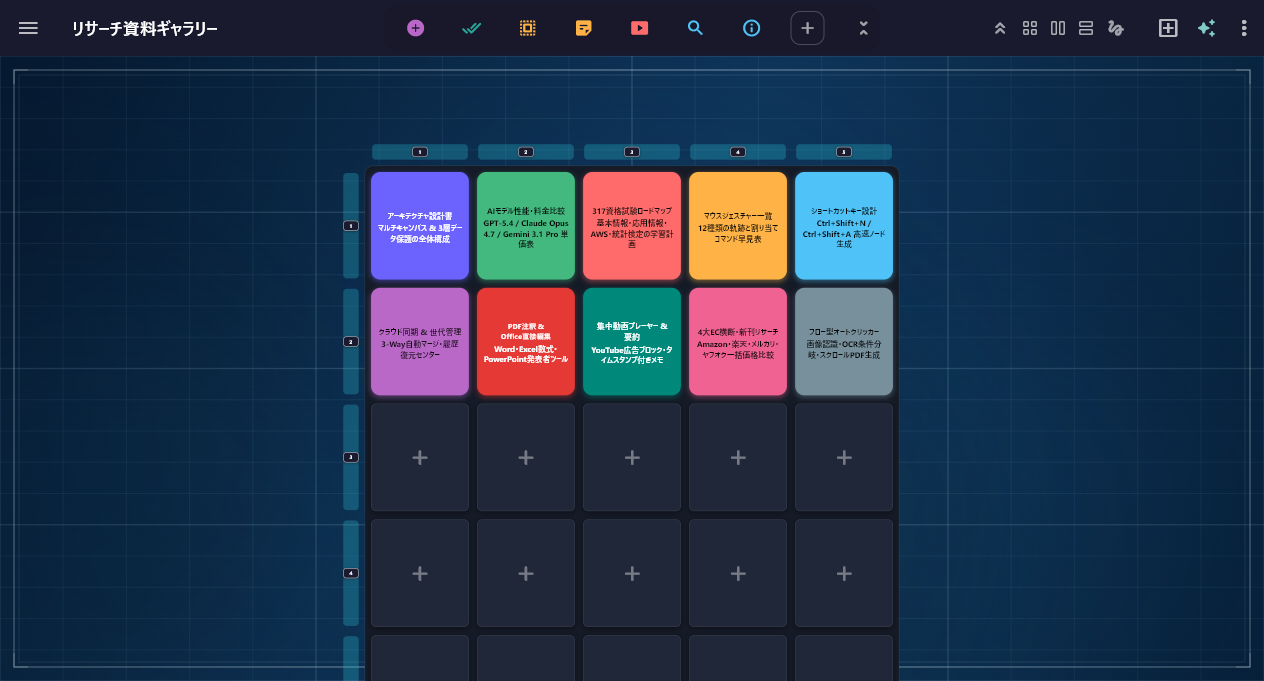
Gallery × 2D grid management
- Mind MapHolds images, videos, PDFs, tables and formulas, with auto layout, focus mode, presentations and a 3D globe view
- GalleryA 2D grid that tiles videos, PDFs and images, with tag filtering and continuous playback
- Free Note & DocumentA freeform canvas for handwriting, shapes and sticky notes, plus rich document pages with an outline table of contents
AI & the big three AI CLIs
Prepaid AI with no API key needed, plus support for the big three AI CLIs and a built-in MCP server
- Prepaid AI, no API key neededTop up $10 and pay only for what you use; ChatGPT / Gemini / Claude are ready right away with no API key
- The big three AI CLIs & a built-in MCP serverLaunch Claude Code / Codex / Antigravity CLI directly and let them edit your current map or documents automatically (undo with Ctrl+Z)
- Auto map generation, flashcards, conversation practiceGenerate maps, question banks and flashcards from a topic or a long PDF, plus voice-enabled AI mock interviews and language practice
Video, PDF, Office documents & Silent camera
Watch, annotate and edit directly — all inside the app, no other software needed
- Ad-free YouTube & video/music playbackFocused YouTube viewing with ads hidden and a length filter, plus a video & music player with a PiP mini window and playlists
- Direct PDF writing & Office file editingBurn pen strokes directly into PDFs and save them, and edit Word (.docx), Excel (.xlsx, with formulas) and PowerPoint (.pptx) files directly
- Silent camera & OCRTake photos and videos without a shutter sound, then transcribe text with OCR and read QR codes on the spot
Research, benchmarks, exam prep & cloud sync
Search, Trends, Trivia, benchmark comparisons, prep for 317 certification exams and cloud sync, all in one place
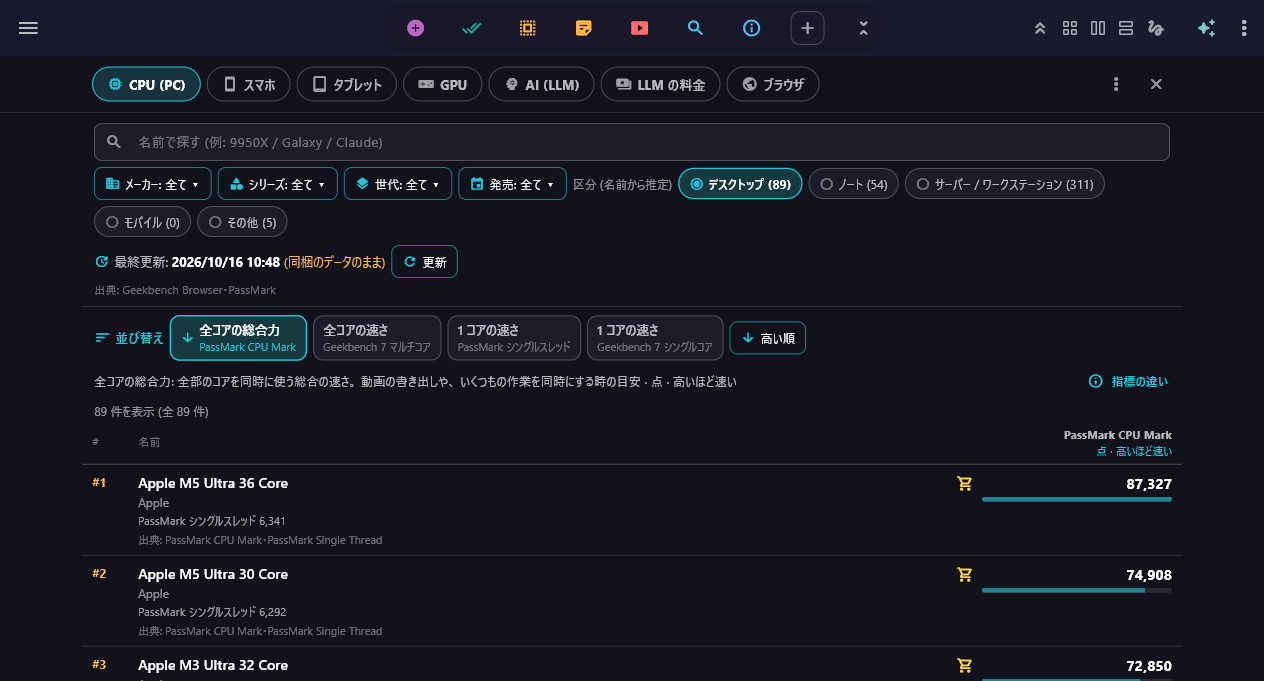
CPU, GPU, phone and LLM performance & pricing comparison
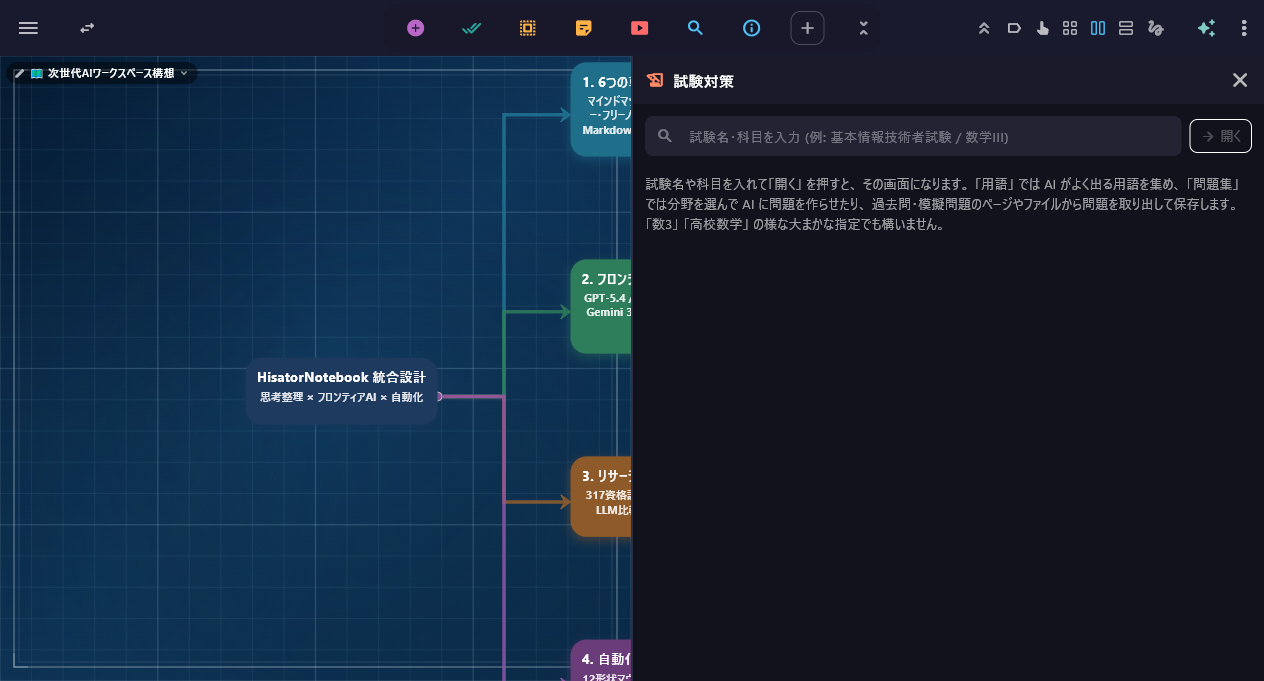
AI “Exam prep” opens right next to your map
Live demo: multi-pane split & research
- Search, Trends, Trivia & product search across 4 major storesDual-pane Google search, trends in 9 categories, trivia with cited sources, and cross-search across Amazon / Rakuten / Mercari / Yahoo! Auctions
- Benchmarks & 317 certification exams with AI exam prepCPU/GPU/phone/LLM performance & pricing comparisons, schedules for 317 exams, and AI-powered term collection & question generation
- Cloud syncAutosave on every keystroke, backup to the Windows Recycle Bin and a Recovery Center, plus conflict-free sync and co-editing (Max)